DStv After Load Shedding: A Safe Restart Guide for Yzerfontein Homes
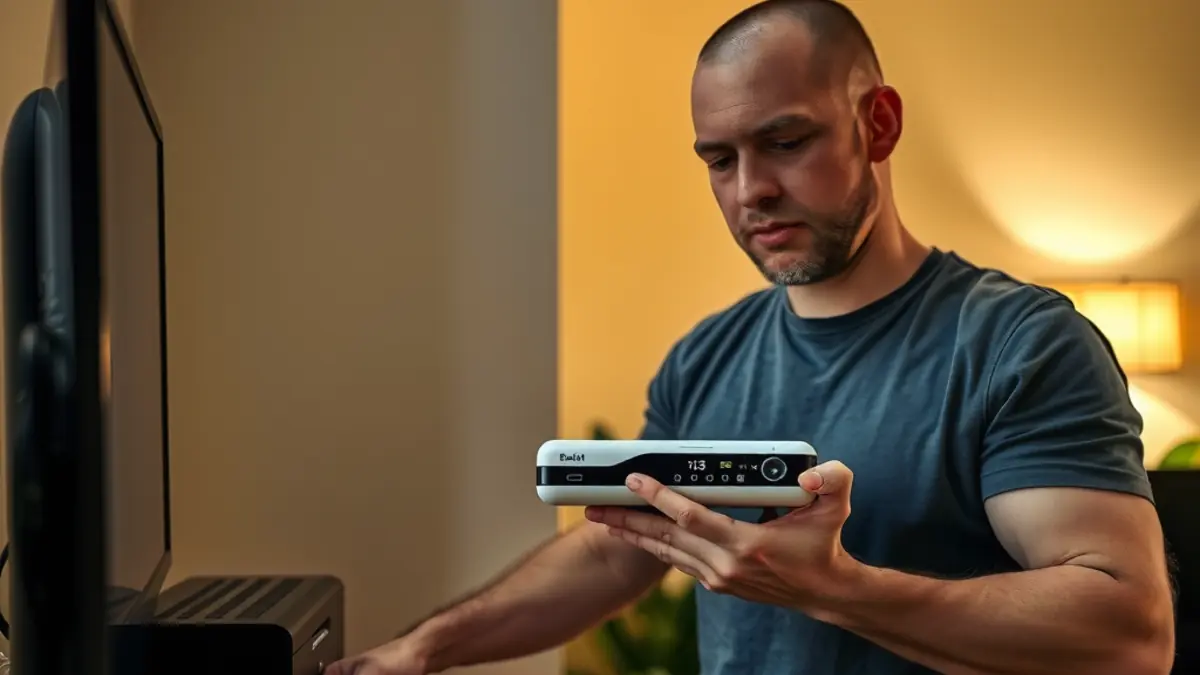
When DStv does not return after load shedding, the cause is often somewhere in the power-up sequence rather than at the satellite dish. The television may select the wrong input, the decoder may still be starting, the router may be offline or a power supply may not have recovered. A calm, ordered check is safer and faster than unplugging every cable.
This guide is for Yzerfontein homes and holiday properties after normal power interruptions. It does not replace electrical fault finding. If there is burning, heat, visible damage, sparking or repeated tripping, switch off only if safe and contact a qualified electrician. Once stable power is confirmed, use the steps below.
Step 1: confirm the room has stable power
Check whether other known appliances or lights on the same circuit are working. Do not repeatedly reset a distribution board or bypass a protective device. If a plug, adapter or extension smells burnt, feels unusually hot or looks damaged, stop. Entertainment equipment is not worth an electrical risk.
If the property uses an inverter, UPS or generator, allow that system to settle according to its instructions. Some backup systems power selected sockets only. A television on backup power and a decoder on a normal circuit can create a blank-screen mystery even though each device is behaving correctly.
Step 2: allow every device to finish starting
Turn on the decoder and wait. Software checks and hard-drive initialisation can take time, especially after an abrupt outage. Watch the front indicator and television message rather than pressing power repeatedly. The router may also need several minutes before connected features become available.
Keep the sequence simple: power source, router if required, decoder, then television. If everything starts at once automatically, leave it undisturbed before testing. Repeatedly removing power during startup can make diagnosis harder.
Step 3: select the correct television input
A television may return to its home screen, broadcast tuner or another HDMI input after power loss. Use the television remote to open Source or Input and choose the port labelled for the decoder. Do not change satellite settings inside the television menu.
If the DStv menu appears, the decoder-to-television connection is working. If the screen says no HDMI signal, check that the cable is seated at both ends while equipment is safely accessible. A damaged or concealed cable may need professional attention, particularly after recent TV wall mounting work.
Step 4: read the exact decoder message
The words on screen guide the next action. An account or entitlement message differs from a no-signal error, and both differ from a television input warning. Photograph the full screen and note whether every channel is affected. Avoid paraphrasing it as simply not working.
For a persistent reception error, a DStv signal repair visit can test the signal path, cable, connectors, LNB and decoder connection. Load shedding can coincide with an existing marginal fault without being the direct cause, so diagnosis matters.
Step 5: check only accessible connections
Inspect plugs and leads behind the television or decoder if they can be reached safely. Make sure the decoder power supply is connected firmly and the HDMI lead has not been pulled loose. Do not open power supplies, remove wall plates or touch roof equipment.
At a holiday property, compare the wiring with a known-good photograph. Guests sometimes move leads to connect a console or laptop. Restoring the documented arrangement can solve the issue without a call-out, while random cable swapping may create several new faults.
When the satellite signal does not recover
A power interruption does not physically align a dish, but the outage may occur during the same winter storm or Cape Doctor wind that moved an already weak mount. If reception was pixelating beforehand or fails mainly in poor weather, measured satellite dish alignment may be required.
Alignment is only part of the inspection. The installer should check bracket security, cable condition and weatherproof connections. Moving the dish by hand is unsafe and can turn a minor fault into a total loss of reception.
When streaming features remain offline
Live satellite channels and internet features use different paths. If normal channels work but apps, catch-up or connected functions do not, check whether phones can use the same home network. Restart the router according to the provider's guidance and allow it to reconnect.
Persistent weak coverage at the television may need WiFi and fibre cabling assessment. Do not realign the dish to solve a network-only problem. Separating satellite, HDMI, account and internet symptoms avoids unnecessary work.
Multi-room systems need an ordered check
If one viewing room works and another does not, record which decoder and television are affected. Confirm power and inputs in each room. Do not reset every decoder simultaneously, because that removes useful evidence about where the fault sits.
Compatible secondary-decoder faults may require XtraView support. Provide the decoder models, on-screen messages and recent account or equipment changes. This helps determine whether the visit should focus on configuration, communication between decoders or the signal distribution.
Prepare for the next outage
Create a small recovery card near the television with the correct input, normal indicator sequence and property manager contact. Photograph the cabling and label the essential remotes. In a holiday home, include the restart check in the pre-arrival inspection after a known outage.
Ask a qualified provider about suitable surge protection and backup power for the actual load. Do not overload multiplugs or connect equipment to an inverter without checking compatibility and capacity. Good preparation is about safe, predictable recovery, not a promise that every outage will be harmless.
- Wait for stable power.
- Allow devices to complete startup.
- Select the correct input.
- Photograph exact error messages.
- Call the right trade for electrical, signal or network faults.
Frequently asked questions after load shedding
How long should I wait for the decoder to restart?
Give it several uninterrupted minutes and follow the on-screen status. Exact times vary by model and what the device is doing after power returns.
Why does the television say no signal after an outage?
It may be on the wrong input, the decoder may lack power or an HDMI cable may be loose. This message is not always a satellite-signal fault.
Should I unplug the decoder repeatedly?
No. Repeated power cycling during startup can complicate recovery. Check stable power, wait, then perform only the safe steps recommended for the device.
Can load shedding move a satellite dish?
The outage itself cannot, but wind or a storm at the same time can affect a marginal mount. An installer can measure alignment and inspect the bracket.
When should I call an electrician instead of a DStv installer?
Call an electrician for tripping circuits, damaged sockets, burning smells, sparks or unstable supply. Call a DStv installer once safe power exists and the entertainment fault remains.
Troubleshoot one layer at a time
After load shedding, separate power, television input, decoder, satellite signal and internet checks. Each layer produces different symptoms. An exact screen message and a few safe observations are more useful than resetting everything.
If the basic restart does not restore service, send the installer the decoder model, photographs and the steps already completed. That preparation helps a Yzerfontein call-out focus on the real fault and keeps unsafe electrical work outside the entertainment-service scope.