Home Connectivity and Entertainment Planning in Yzerfontein
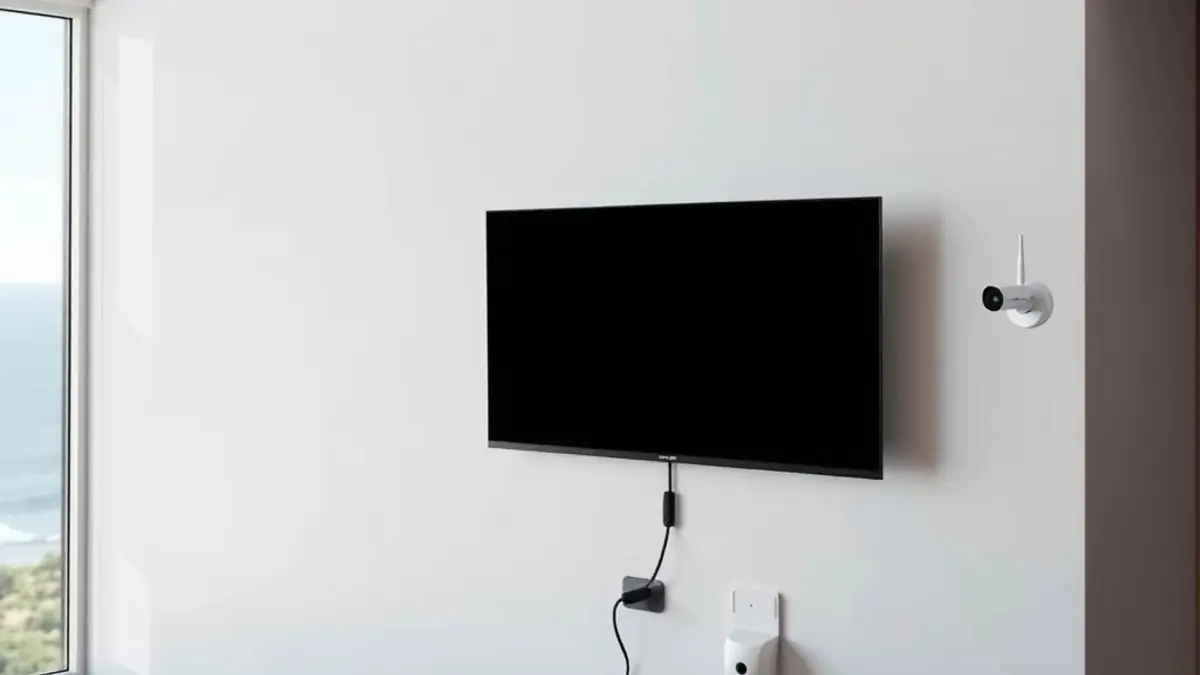
Home connectivity planning in Yzerfontein works best when television, DStv, WiFi, fibre, CCTV, aerial points and power requirements are considered before walls are closed or furniture is fixed. These are separate systems, but they share routes, cabinets, screens and user expectations. Planning them together reduces visible cable, inaccessible equipment and expensive rework.
The aim is not to force every service into one technology. Satellite television should remain diagnosable as satellite, internet services as network services and surveillance as security infrastructure. A coordinated plan defines how they meet at each room while keeping faults and responsibilities clear.
Begin with rooms, users and daily activities
List who uses each room and what they need. The lounge may require live DStv, streaming and gaming. A study may need stable video calls and wired data. Bedrooms may need only WiFi, while an outdoor entertainment area may need a protected television point. A holiday rental also needs guest simplicity and a manager-friendly reset process.
Mark these uses on a basic floor plan. Include the fibre entry, proposed router location, television walls, decoder position, office desks, camera viewpoints and any locked equipment cupboard. This practical map is more useful than buying devices first and trying to connect them later.
Plan the DStv signal path
A new build or renovation offers the chance to select a secure dish position, direct cable path and accessible decoder location. The dish still needs a clear satellite view, so visual concealment cannot override reception. Discuss the route with the new DStv installation team before ceilings and wall finishes are complete.
If recording, app features or multiple rooms are required, state that early. An Explora or Ultra installation may need both satellite and network connections near the decoder. Avoid sealing every cable and power supply inside a wall where future testing or replacement becomes difficult.
Design WiFi around coverage, not the router box
The fibre termination point is often chosen for installer convenience, but it may be a poor location for whole-home wireless coverage. Thick walls, concrete floors, metal, mirrors and multiple levels can weaken or reflect signals. A good plan uses a central router or properly connected access points based on the building layout.
For offices, televisions, access points and fixed equipment, structured Ethernet can improve predictability. Ask about WiFi and fibre cabling while routes are open. Label both ends of every cable and record where it terminates. Random unlabelled leads create avoidable fault-finding costs later.
Coordinate television positions and mounting
Choose screen locations using viewing distance, glare, seating and safe fixing, not only the location of the nearest socket. Sea-facing glass can create strong daytime reflections. Confirm the wall construction and bracket rating before drilling, and leave service access for HDMI and power leads.
Professional TV wall mounting should cover height, bracket, fixing method and cable presentation. Power alterations belong to a qualified electrician. Keep removable adapters and devices ventilated rather than buried in an inaccessible cavity for the sake of a completely empty wall.
Include free-to-air and backup viewing choices
Some households want a second viewing option that does not use the same subscription. That may involve Openview HD installation or a terrestrial TV aerial and antenna service, depending on coverage, equipment and desired channels. These systems should be assessed rather than assumed.
Do not join unrelated signals with improvised splitters. Each distribution method has technical requirements and limitations. The plan should identify which wall point carries which service so future residents, guests and technicians do not mistake one cable for another.
Treat CCTV as a security system
Camera planning starts with purpose: entry identification, driveway overview, perimeter awareness or remote property checks. Every camera needs a suitable view, mounting surface, cable or network path, power method and night-time consideration. Avoid placing cameras where they intrude unnecessarily on neighbours or public spaces.
A CCTV installation should include recorder location, storage expectations, secure account setup and remote-access planning. Change default passwords and limit who receives administrator access. If the internet fails, understand what still records locally and what remote features become unavailable.
Account for the West Coast environment
Atlantic salt, Cape Doctor wind and winter rain affect outdoor mounting, cable support and connector sealing. Use outdoor-rated materials where required and minimise exposed joints. Equipment should be protected, but not sealed so tightly that heat and ventilation become problems.
Holiday homes add long idle periods. Place critical network and recorder equipment where a property manager can reach it without entering private cupboards, while still protecting it from casual tampering. Maintain a labelled photograph of the normal setup and a list of service-provider contacts.
Separate power planning from low-voltage planning
Satellite, network and CCTV installers can identify where their equipment needs power, but fixed electrical work must be designed and completed by a suitably qualified electrician. Share the floor plan so socket positions, backup circuits and equipment loads can be coordinated safely.
Decide what must remain available during an outage. The router alone is not useful if the fibre network terminal has no power, and a television on backup cannot show DStv if the decoder is on another circuit. Backup duration, battery type and surge protection require equipment-specific advice.
Document and test before handover
At completion, label points and save a simple diagram showing the dish route, network cabinet, access points, television connections and CCTV recorder. Record model numbers and account ownership without storing passwords in an open property manual. For rentals, create a separate guest guide with only normal-use instructions.
Test from the user's position. Watch the television, run a call from the study, walk through WiFi coverage and review camera views in daylight and darkness. A system is not complete merely because each device powers on beside the installer.
- Floor plan with cable and device locations.
- Labels at both ends of structured cables.
- Separate owner and guest instructions.
- Photographs before walls or ceilings are closed.
- A list of warranties and service contacts.
Frequently asked questions about home planning
When should connectivity planning begin?
Ideally before electrical first fix, ceilings or wall finishes. Existing homes can still be improved, but open routes provide more neat and cost-effective options.
Should every television use WiFi?
Not necessarily. Fixed devices may benefit from wired Ethernet, while mobile devices need good wireless coverage. The right mix depends on layout and use.
Can DStv and network cables share the same route?
They can sometimes follow coordinated pathways, but cable type, separation, bend limits and access must be considered. The installers should agree on the route.
Where should network and CCTV equipment be stored?
Use a secure, ventilated, accessible location with suitable power. Avoid hot sealed cupboards and places guests can easily disturb.
Do coastal homes need special maintenance?
Outdoor fittings deserve periodic visual checks for movement, corrosion, damaged cable and failed sealing. The interval depends on exposure and equipment condition.
Create one plan, then keep systems distinct
A complete Yzerfontein home plan coordinates where services enter, travel and meet the user. It does not blur satellite, internet, security and electrical responsibilities. That balance produces a neater installation and much clearer troubleshooting.
Before construction or renovation advances, walk through every room with the floor plan. Confirm television heights, decoder access, WiFi coverage goals, camera purpose and future cable capacity. A few decisions made early can prevent years of adapters, dead zones and visible rework.