DStv for Airbnb and Holiday Rentals in Yzerfontein
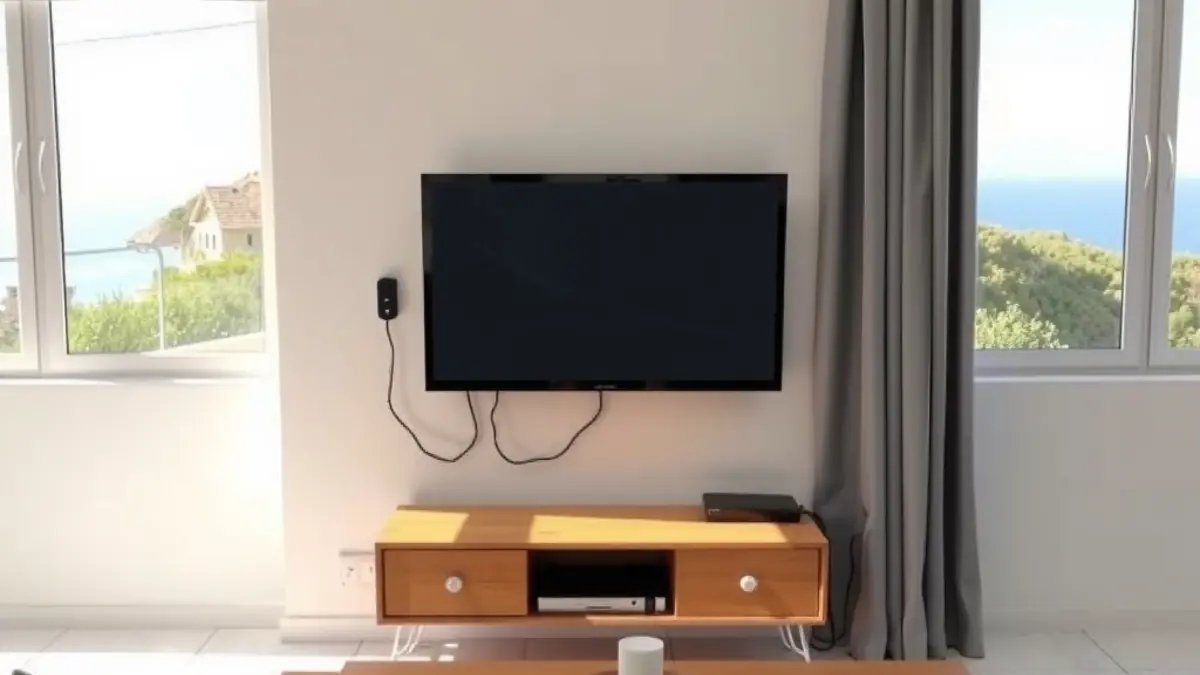
DStv in a Yzerfontein Airbnb or holiday rental should be easy for a guest to use without calling the owner for basic instructions. The goal is not to install every possible device. It is to choose a stable setup, label it clearly, secure the account and create a simple recovery process for power interruptions and accidental input changes.
Coastal holiday homes introduce extra considerations: long vacant periods, rapid guest turnovers, Atlantic salt, winter rain and owners who may be off site. A well-planned DStv installation can reduce support messages, but the operational details around the television are just as important.
Decide what experience you are promising
Start with the listing. If it promises selected sports, news or entertainment, make sure the active package and decoder deliver that experience. Avoid listing specific channels unless you are prepared to keep the description updated, because package line-ups and rights can change. A safer description names the available service and tells guests where to find current channel information.
Consider the typical booking. A family staying for a week may value straightforward live television, while a weekend couple may rely mainly on streaming. The right balance depends on the property, target guest and internet quality. Do not assume a smart television removes the need for a reliable aerial or satellite option.
Choose a simple decoder and television layout
Every additional remote, switch and viewing point creates another support scenario. Keep the main lounge arrangement intuitive. Connect the decoder to a clearly labelled HDMI input, remove unused cables and test that the television returns to the correct source after being switched off.
If bedrooms need separate viewing, decide whether independent content is genuinely necessary. Compatible multi-room requirements can be assessed through XtraView setup. Explain the intended rooms, existing cabling and decoder models before booking, because account and equipment compatibility affect the design.
Build a one-page guest guide
Place a short printed guide near the main television and keep a digital copy in the check-in message. Use photographs of the actual remotes rather than generic instructions. Guests should know which power button to use, which television input is correct and how to return to live viewing.
The guide should also state what not to unplug. Many faults reported during turnovers are loose power supplies, changed inputs or network cables moved to make room for personal devices. A polite label can prevent hours of remote troubleshooting.
- Turn on the television and decoder.
- Select the labelled HDMI input.
- Use the DStv remote for channels and the television remote for volume.
- Do not reset the router or decoder.
- Contact the host with a photograph of any error message.
Plan for load shedding and power recovery
A decoder, television and router may restart at different speeds when power returns. Guests often press several buttons while devices are still booting, which can change the input or interrupt recovery. Include a calm waiting period in the guide and explain the normal indicator lights.
A surge-protection or backup-power decision should be made by a suitably qualified provider for the equipment and property. The entertainment installer can verify reconnection once stable power is available, but electrical faults require an electrician. Keep those responsibilities separate.
Protect outdoor equipment between bookings
Vacant weeks allow a small fault to remain unnoticed until check-in day. Before peak season, inspect visible cable from ground level and arrange testing if the picture has been unstable. If reception breaks up, book signal repairs rather than instructing cleaners to move or twist cables.
Strong wind can expose a marginal bracket or dish position. A measured dish alignment visit should also check mounting security and outdoor connections. Never ask guests, cleaners or property managers to climb onto the roof.
Make the network guest-ready
Modern decoders and smart televisions may depend on the home network for streaming and updates. Test from the actual lounge and bedroom viewing positions, not next to the router. Thick walls, multiple levels and a poorly placed router can create a good speed test in one room and an unusable experience in another.
If coverage needs structured improvement, scope WiFi and fibre cabling for the whole property. Avoid adding random extenders during a busy turnover without checking their placement, network names and roaming behaviour. Simplicity is valuable for guests and cleaners.
Create a turnover test that takes five minutes
Add television checks to the cleaning or management checklist. The tester should turn on the main screen, confirm picture and sound, open the guide, check remote batteries and verify that the correct remotes remain in the room. A quick real-world test catches more than confirming that a red standby light is visible.
For remotely managed homes, ask the property manager to send a dated screen photograph if a problem is suspected. Record the decoder error exactly. This helps distinguish account status, power, input selection, network trouble and satellite reception before a call-out is arranged.
Secure mounting and tidy presentation
Guests notice loose cables and unstable televisions. If a screen is being placed on a wall, use a proper TV wall mounting service that accounts for the wall type, bracket rating, viewing height and cable route. Do not conceal removable power adapters inside inaccessible spaces.
Label cables discreetly at the equipment end and keep spare batteries in a known manager cupboard. Photograph the normal wiring. When a guest unplugs something, the property manager then has a reliable reference instead of guessing from a bundle of similar leads.
Manage accounts and privacy carefully
Keep subscription administration with the owner or authorised manager. Guests should not receive account passwords, installer menus or unrestricted access to purchase services. Review logged-in streaming apps between bookings and use guest modes where platforms support them.
When a manager changes, update contact details and recover keys, remote-access accounts and equipment records. A clear ownership register prevents a former contractor or staff member from retaining unnecessary access to cameras, routers or entertainment accounts.
Frequently asked questions for rental hosts
Should an Airbnb include DStv or streaming only?
It depends on the promised guest experience and internet reliability. Many hosts use a simple mix, but every service listed should be tested and easy to operate.
How many remotes should I leave for guests?
Only the remotes needed for normal use. Label each one and remove obsolete devices to reduce confusion.
Can cleaners test the system between bookings?
Yes. Give them a short checklist covering picture, sound, input, remote batteries and visible error messages, without any roof access.
What should guests do after load shedding?
They should allow the television, decoder and router time to restart, then select the labelled input. Your property guide should describe the normal sequence.
How can an absent owner approve repairs?
Agree an approval limit, nominate a local contact and request photographs plus a brief completion note. Additional work should still be authorised clearly.
Design the setup for guests, not technicians
A reliable rental entertainment system is predictable. Guests can identify the correct remote, recover from a changed input and contact the right person with useful information. Owners can see what was tested and authorise repairs without confusion.
Before the busy season, test the complete journey from check-in instructions to picture and sound. Fix weak reception, untidy cabling and poor network coverage before guests arrive. That preparation supports better stays without making promises no installer or host can guarantee.